

Why do you need AI model cards?
Leveling up your model building game


Hi there, it’s Matt! I write about tips, tricks, and insights for data scientists. Thank you for reading!
This week, I’m sharing why AI model cards are useful for data scientists’ processes. Hope its helpful for you!
Time to Read: 5 mins

Early in my data scientist career, I had no idea what my AI models were doing (it was called ML back then). It was a wild time - you could deploy without knowing what models did.
It wasn’t until 3 years ago, I discovered model cards. I was deep into data and AI governance work at the time, so it was eye opening. Biggest changes I saw were it kept my team on track and our models easy to understand.
In today’s article I’ll answer:
What should you include in an AI model card?
Why should you consider AI model cards?
How to get started if you are new data scientist
1. Why should you use AI model cards?
Imagine building an AI model. You’ve spent several weeks with your team developing it, testing it, and you're ready to throw it to production.
Suddenly, in a presentation you’re asked how it works, or its tie to a use case or business outcomes. Or in a standup, you get asked by your team what the model does.
Senior data scientists have been there. The more models you manage, the more model cards become critical to showing value. Without them, you can miss some points that can be critical for the team and stakeholders.
Here’s some great points why I (and other data scientists) find them useful:
Better Alignment. Sometimes it can be difficult to tell if you’re on the right track. Model cards help alignment with the broader business and AI strategies. Think of it like a gut check. The give a framework - that can guide both your team - and provide explanations to decision makers.
Improved Credibility. If you can explain your model and how it works? Far easier to get buy in. Model cards help business (and your team!) by offering straightforward and easy-to-understand descriptions. The AI model and data is tied to a business use cases. This helps in earning trust from customers and stakeholders.
Improving your processes. Model cards provide in-depth information about how a model works. They list its data requirements, computational needs, and ideal environmental conditions. By using model cards, businesses and teams can develop and integrate a model better.
Model cards are helpful if you need to revisit or iterate on a model. Or if you need to hand it off to a new team. No one likes trying to look at an old model, then spending hours trying to figure out what it does.
I find them very handy before presentations. It’s much easier to reference a model card, then write a presentation - rather than going through a GitHub repo the night before.
Make them useful for both you and the business. Explainability is a huge credibility boost for you team - and gets more buy in.
2. What goes into a model card?
If your company isn’t using model cards yet, that’s okay. Filling out model cards can eat time - especially if you’re trying to scale or deploy quickly. So, organizations at lower levels of AI and data maturity don’t need them.
But as your role expands, and models under your team increase they become critical. Documentation - even a little bit - can go a long way to explaining value. Explainability demonstrates you’re building for a use case - not novelty.
Model cards aren’t that hard - its knowing what’s relevant that’s hardest. Higher levels of regulation increase the number of sections for a model card. Same with models that serve a core product or workflow.
The paper Model Cards for Model Reporting gives a great examples of key sections to add:
Model details: Basic information about the model. Only people who are involved in the details read the whole model card. Take advantage of a summary to give the audience the most important points:
Person or organization developing model.
Model date
Model version
Model type
Information about training algorithms, parameters, etc.
Paper or other resource for more information
Citation details
License
Where to send questions or comments about the model
Intended use: Use cases that were envisioned during development. Defining use cases can guide the development process and help prioritize features and improvements.
Primary intended uses. If you’re building a model, this part explains the main use cases it was made to address. This an important section - it can give insight how to iterate and improve the model. These are great jump off point for building roadmaps.
Primary intended users. This shows who the model is for, such as companies, teams, or specific business units. It helps narrow down who will be using it.
Out-of-scope uses. Don’t shy away from mentioning this. Models are much easier to manage and improve when users know what not to do with them. This section warns about improper uses and may suggest better alternatives, ensuring the model is applied correctly
Factors: Factors could include demographic groups, environmental conditions, technical attributes, or others. Think factors that can bias the model or dataset.
Relevant factors. Highlights key factors that may influence model performance, ensuring awareness of potential biases.
Evaluation factors. Identifies specific factors considered during evaluation to assess their impact on the model's accuracy and fairness.
Metrics: Metrics should be chosen to reflect potential real-world impacts of the model. Business metrics should be kept separate in a scope of work, or in a OKR (Objectives and Key Result). Focus on technical metrics in a model card - product metrics might change. The goal is documenting model benchmarks. Things to add:
Model performance measures
Decision thresholds
Variation approaches
Evaluation data: Details on the dataset(s) used for the quantitative analyses in the card. It provides context on model's performance and the relevance of the data to the intended use cases.
Datasets. Describes the datasets used, including sources, sizes, and key characteristics, ensuring transparency and reproducibility.
Motivation. Explains the relevance of chosen datasets to the model's intended use cases, highlighting their importance in performance assessment.
Preprocessing. Summarizes the preprocessing steps taken, such as data cleaning and normalization, to prepare the data for accurate evaluation.
Ethical considerations
…And others! A model card can be more detailed for regulated industries.
Depending on team or business technical or documentation needs, you can even cut reduce these sections. If you’re in regulated industry, these requirements might change. Or even get more detailed!
3. How do get started with model cards?
There are many ways to get started. Personally, I like it if there’s a data and AI model governance team that exists. Setting the standards and reporting requirements is done for you, so its easier to fill blanks.
But if you’re like most organizations, you’ll probably build them on your own - for your team. Here’s where to start if you’re new:
1. Analyze Example Model Cards
Start by learning about model cards. Knowing these parts gives you insights into the inner working of an AI model. If you want to develop better, knowing the moving parts are critical.
Look for examples of model cards that have been published by other data scientists or organizations.
Many open-source projects and companies share model cards for their publicly released models, especially those related to AI fairness and ethics.
For examples of what can go into model cards check out:
Google - Model Cards for Model Reporting
HuggingFace - Model Cards (huggingface.co)
Analyzing these examples will give you insights into how different organizations format their cards and the specific types of information they include, such as model description, intended use, performance evaluations, and ethical considerations.
Hugging Face has some great model cards you can use as a boiler point template. They’re very descriptive:
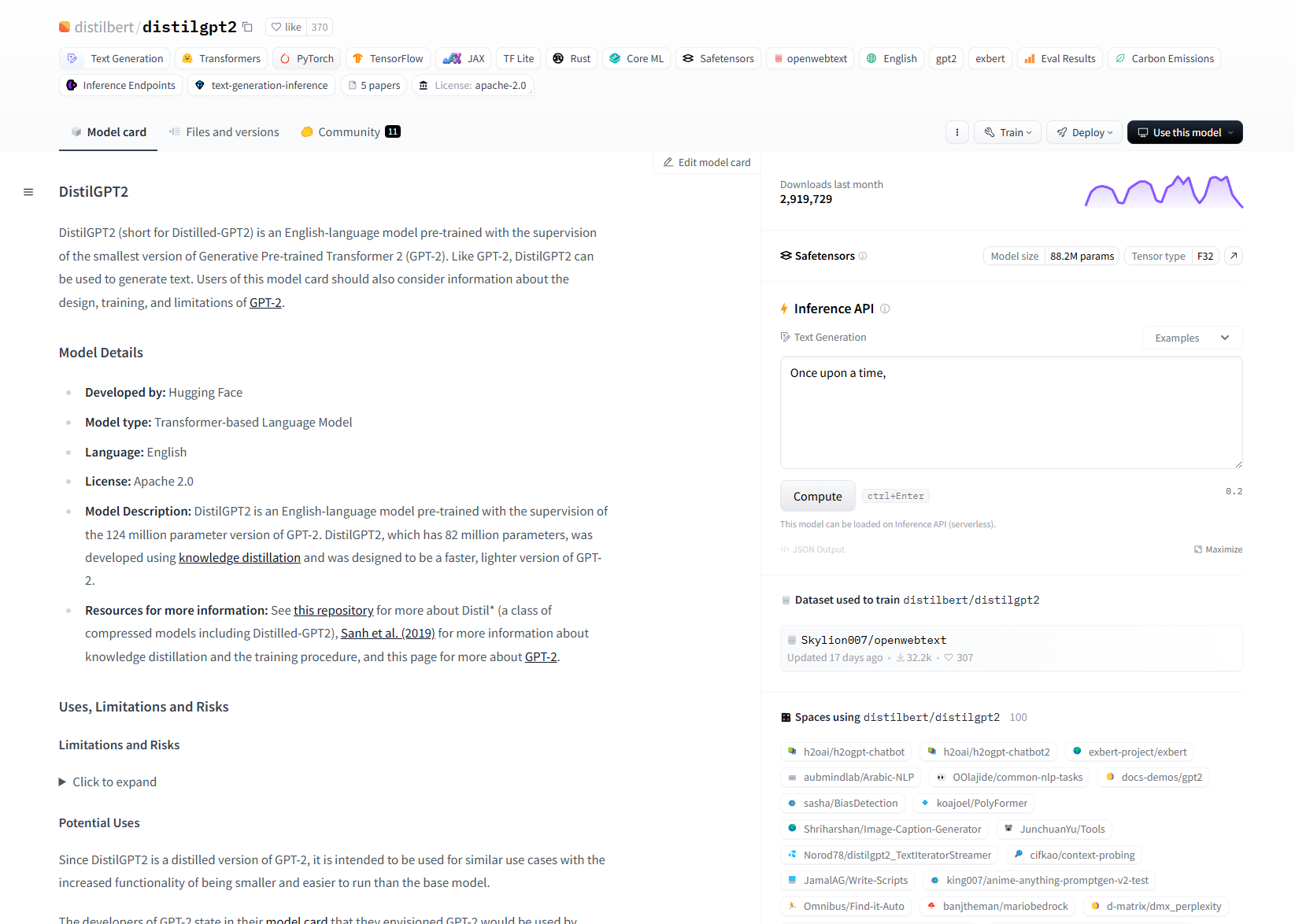
I’ve used them several times in presentation - they go a long way to aligning both stakeholders and tech ppl on what the AI model’s capabilities.
2. Create a Template for Your Projects
Based on your research and the examples you've studied, create a template for your model cards. You template should include sections that are relevant to most of the models you work with.
Here’s some great ones to get started with:
TensorFlow - Model Card Toolkit. This is a huge time saver if your using TensorFlow. It streamlines and automates generation of model cards.
HuggingFace - Model Card Readme Template. If you’re trying to add a readme to your Github, this a great starter template. Also includes a dataset card if you need to document that too.
Templates improve communication and focus for teams and individuals. They help clarify the model's goals and provide a framework for building.
Having a template will streamlines your process quite a bit. Especially if they can generate it.
3. Make AI model cards core to your work
Integrate the creation of model cards into your regular data science workflow. Make it standard to create a model card at the end of each project. It also helps to prepare a template when preparing a model for production. This includes:
During Model Development: Document important decisions, configurations, and performance benchmarks.
Before Model Deployment: Finalize the model card by ensuring all information is up-to-date and accurately reflects the model's capabilities and limitations.
After Model Updates: Update the model card whenever the model is retrained, modified, or when new information about its performance or usage becomes available.
Make model cards a key part of your development and deployment process. Its great checklist if you’re building out an AI product or augmenting an existing model or business process. Last mile of AI can be difficult. Model cards make the process smoother.
If you want to get explainable models that help your team and users, focus on building model cards. Then make sure people know what your model does - and helps your team know what to build.
Be clear with your team that they can refer to a model car. After that, it’s encouraging them to use it. This can be tough since for many new data scientists it’s not a natural part of our workflows.
Getting them used to it is great team cultural shift to make. But that’s for a future article.
Before then, if you have any questions or comments, feel free to comment or reach out to me on:
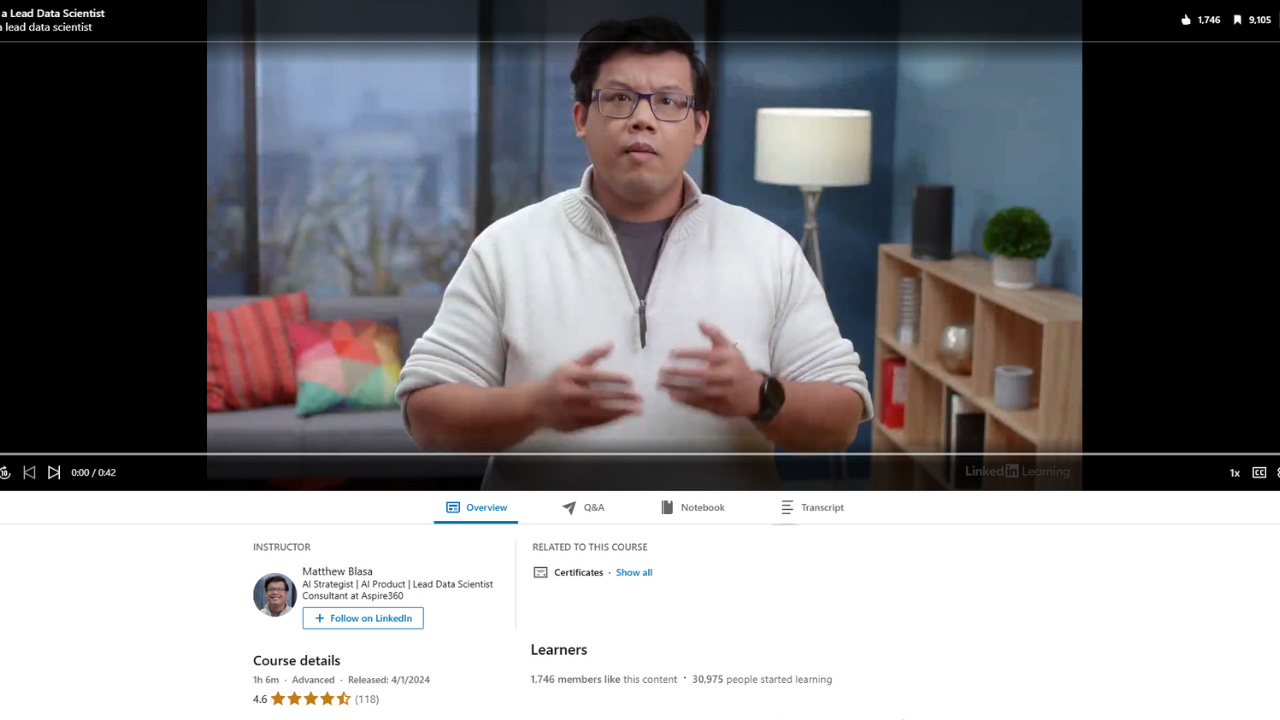
Model cards is just part of the big picture need to be a lead data scientist. I speak about the other skills you need in my LinkedIn learning class.
Over 30k people have taken the class and saved it 10k times. I’d like to I’ve made it easy to access with the link below.
To learn more about being a lead data scientist check it out 👇
 | A guest post by
|